

1. Open Amazon Account
Sign into your Amazon account using amazon.com or the Amazon app.
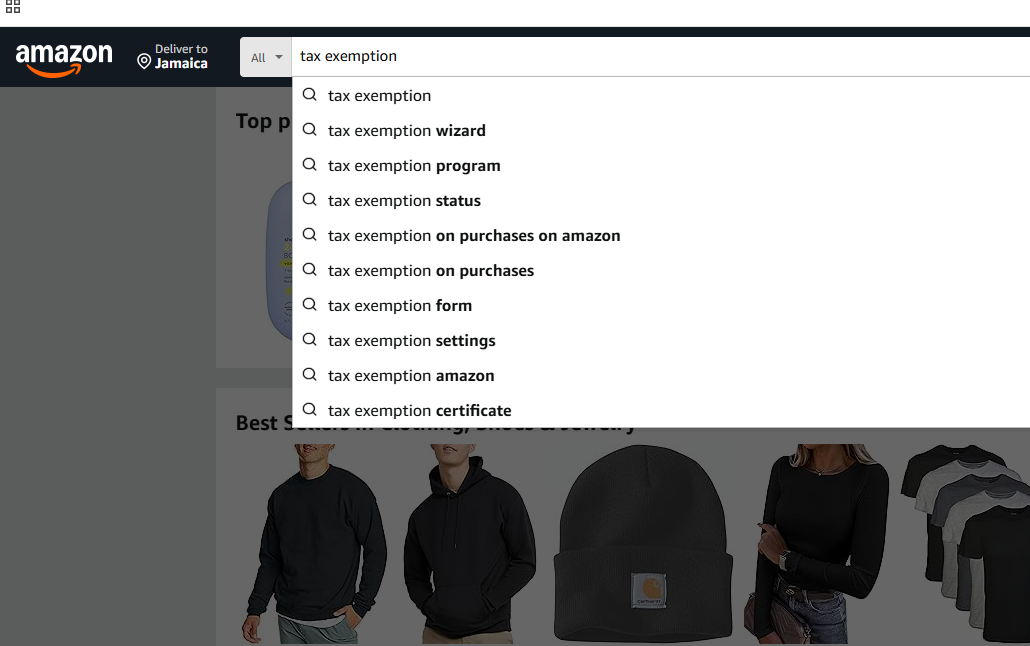
2. Go to search bar on Amazon
From the search bar on your Amazon account, type "Amazon Tax Exemption"
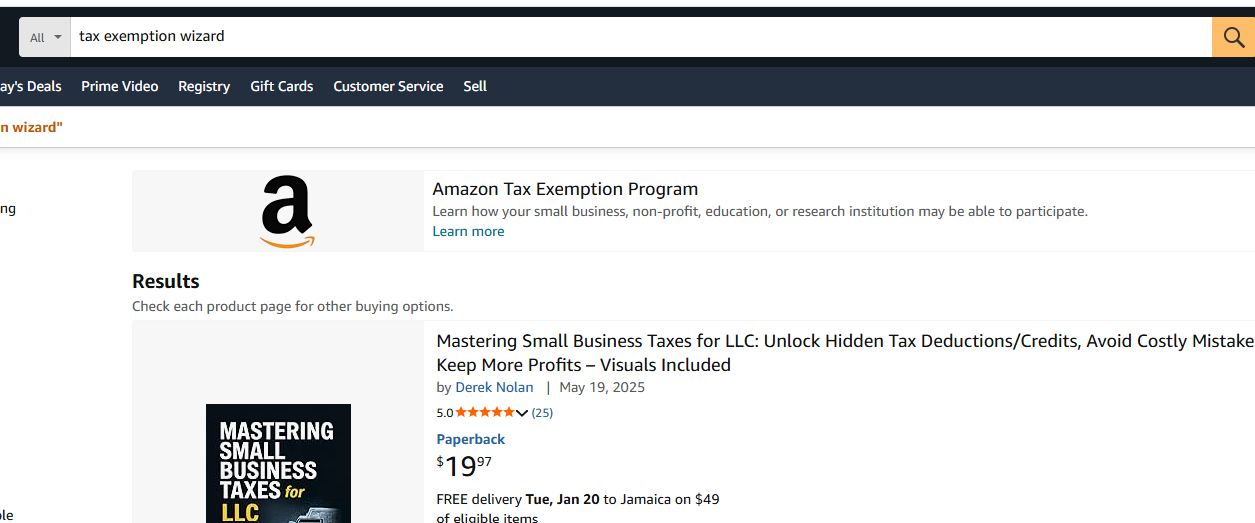
3. Select "Amazon Tax Exemption Program"
Select the first option with the Amazon Logo
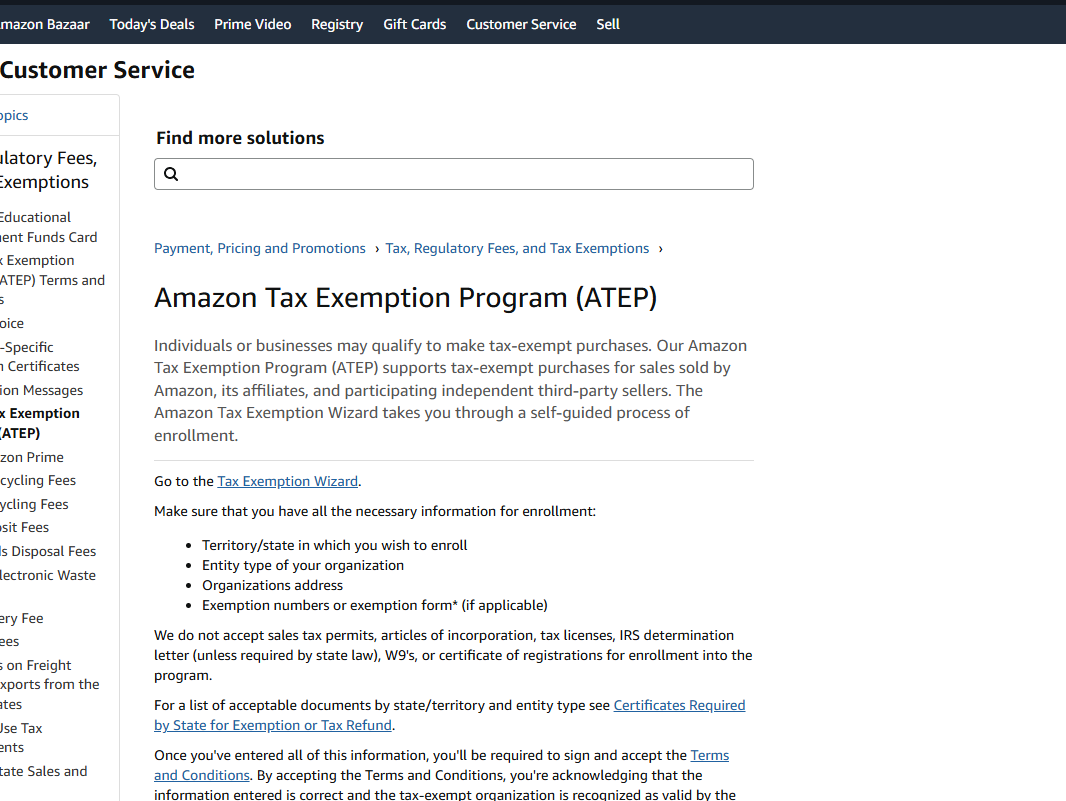
4. Select "Amazon Tax Exemption"
Select the Hyper Link with the words "Tax Exemption Wizard"
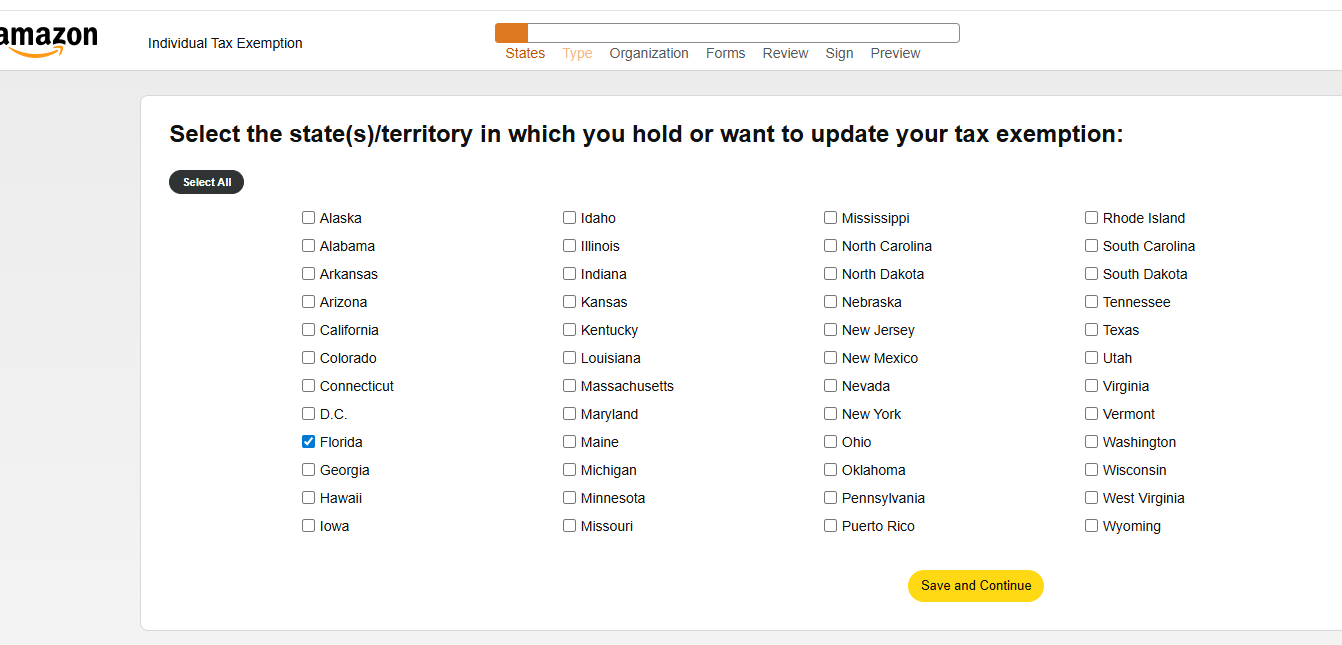
5. Select "Florida"
From the list of States, Select "Florida" press save and continue.
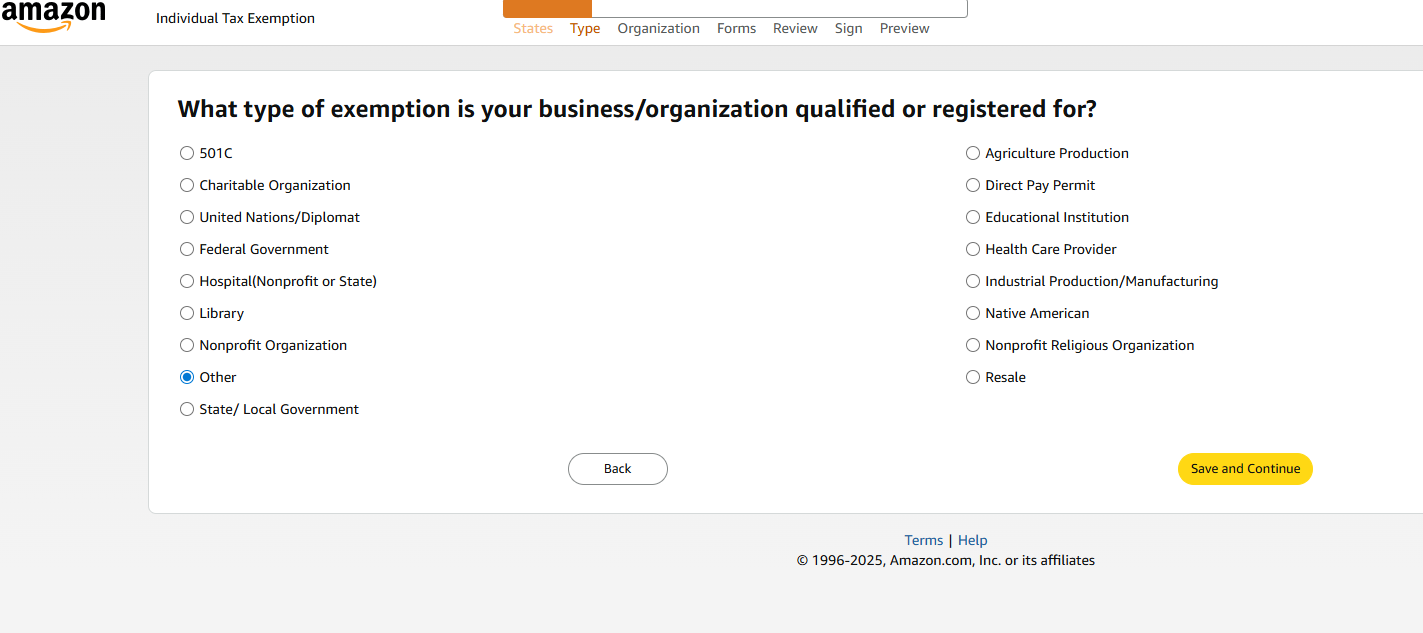
6. Select "Other"
Select “OTHER” as the organization body
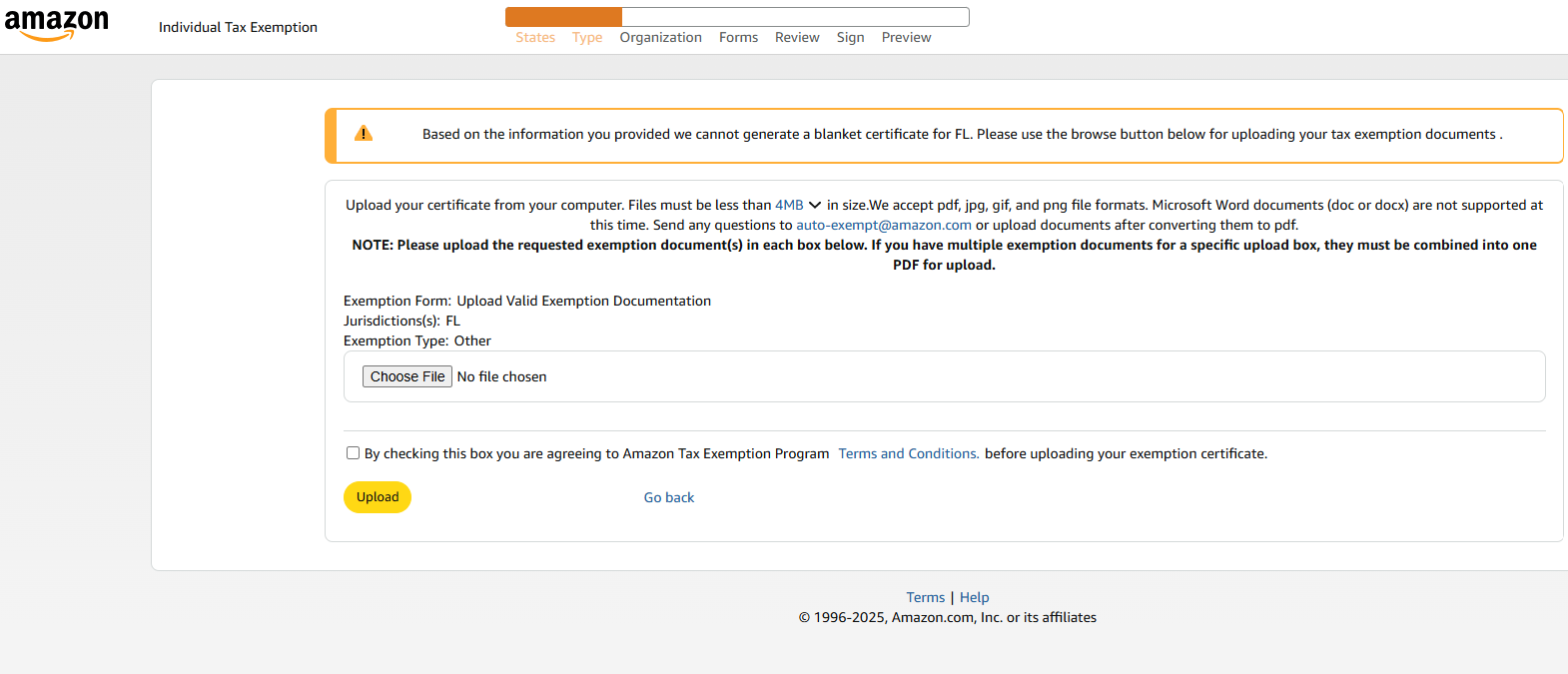
7. Upload the Tax Exemption Certificate from your device
Choose file from your device, click the terms and condition button and then select upload.
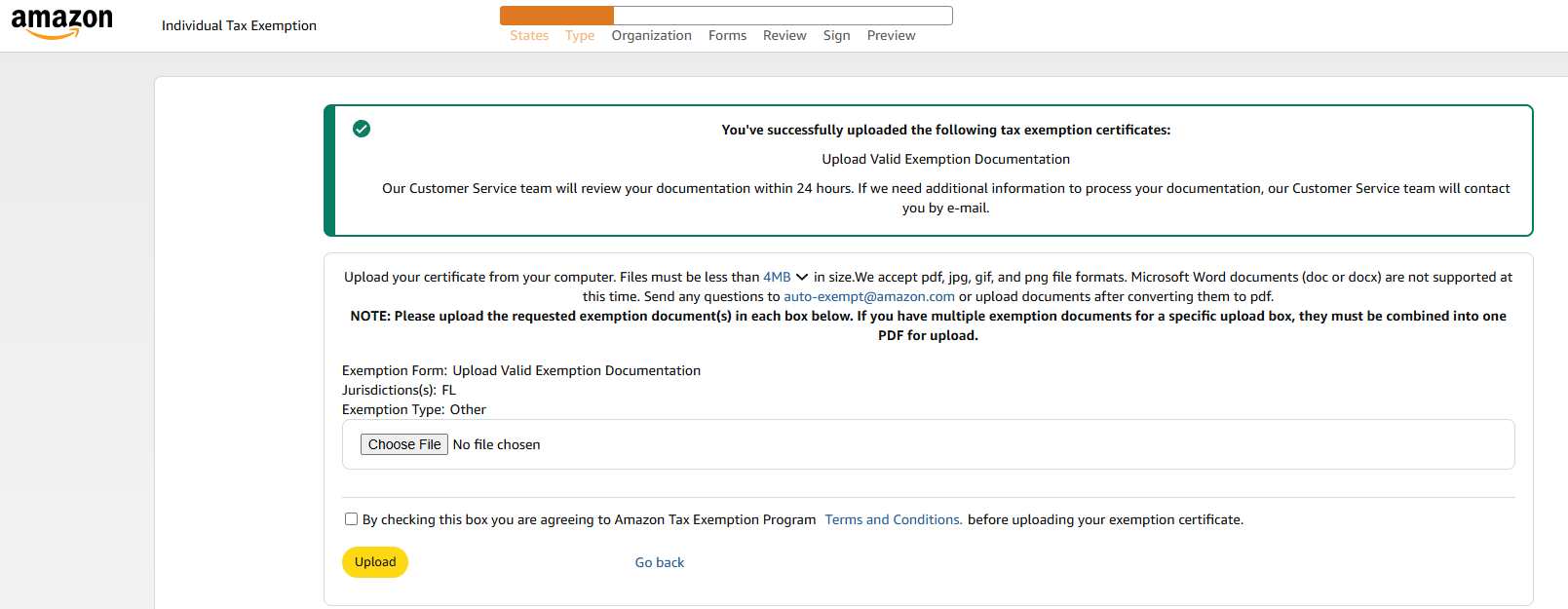
8. After Uploading certificate
From here, wait for confirmation Email from Amazon.