How to Upload Your Florida Tax Exemption Certificate on Amazon
To ensure Amazon does not charge U.S. sales tax on eligible orders shipped to your Global Edge 360 Florida address, you must upload a valid Florida tax exemption certificate to your Amazon account. Follow these simple steps:
-
Open the Amazon App or Website
Launch the Amazon app on your mobile device or visit www.amazon.com on your computer and log in to your account.
Open the Amazon app or website and sign in to your account
-
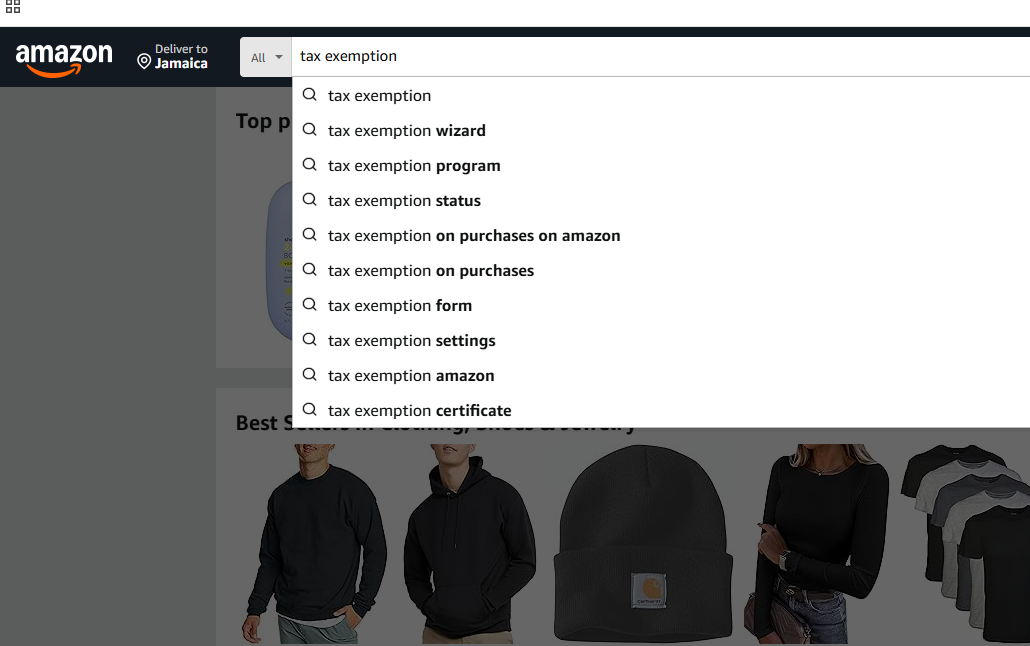
Search for "Tax Exemption Wizard"
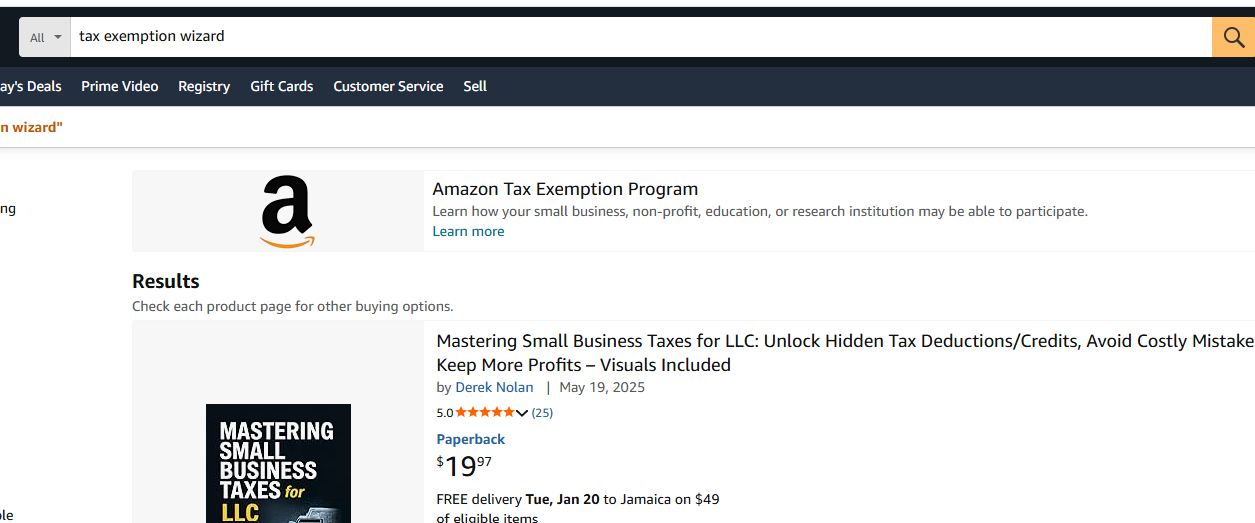
In the Amazon search bar at the top of the page, type "tax exemption wizard" and press search. Click on the Amazon Tax Exemption Program result that appears.
Search for "tax exemption wizard" in the Amazon search bar
-
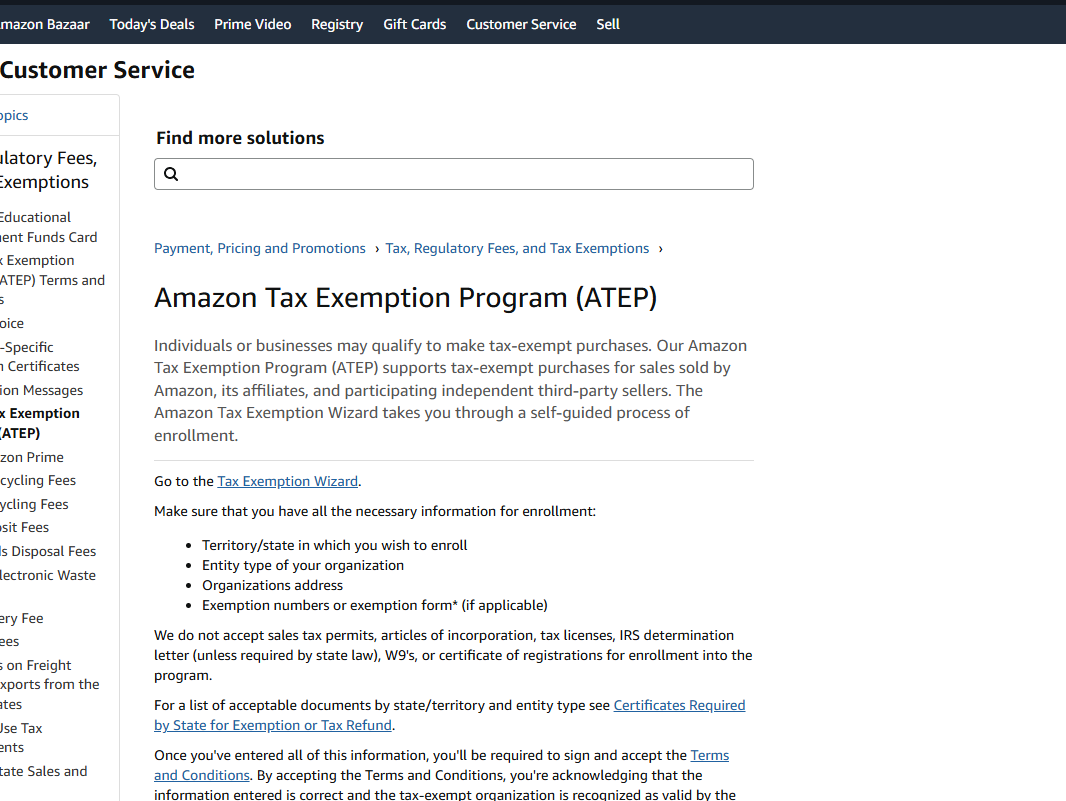
Select the "Tax Exemption Wizard" Link
On the Tax Exemption Program page, click on the blue underlined "tax exemption wizard" link to begin the setup process.
Click the blue "tax exemption wizard" link to start
-
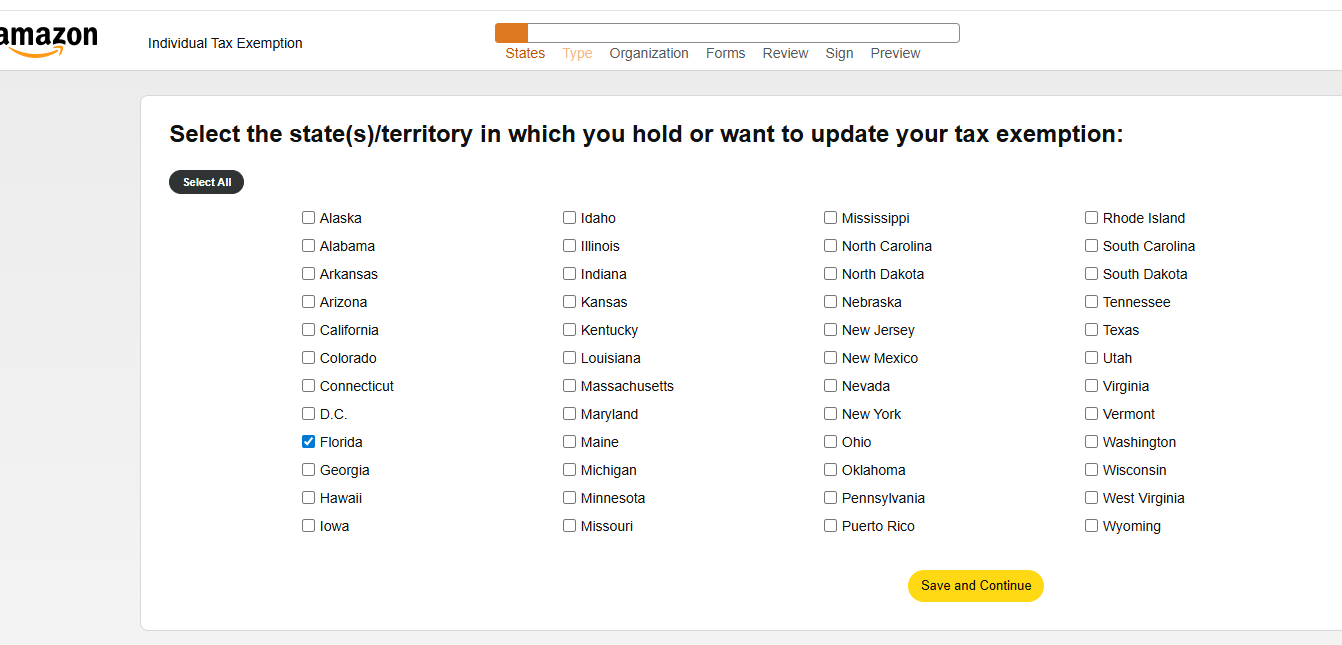
Select FLORIDA as the State
In the state selection dropdown menu, choose FLORIDA. Make sure Florida is selected, then click Save and Continue.
Choose FLORIDA from the state dropdown and save
Important: Make sure FLORIDA is selected as the state for your tax exemption.
-
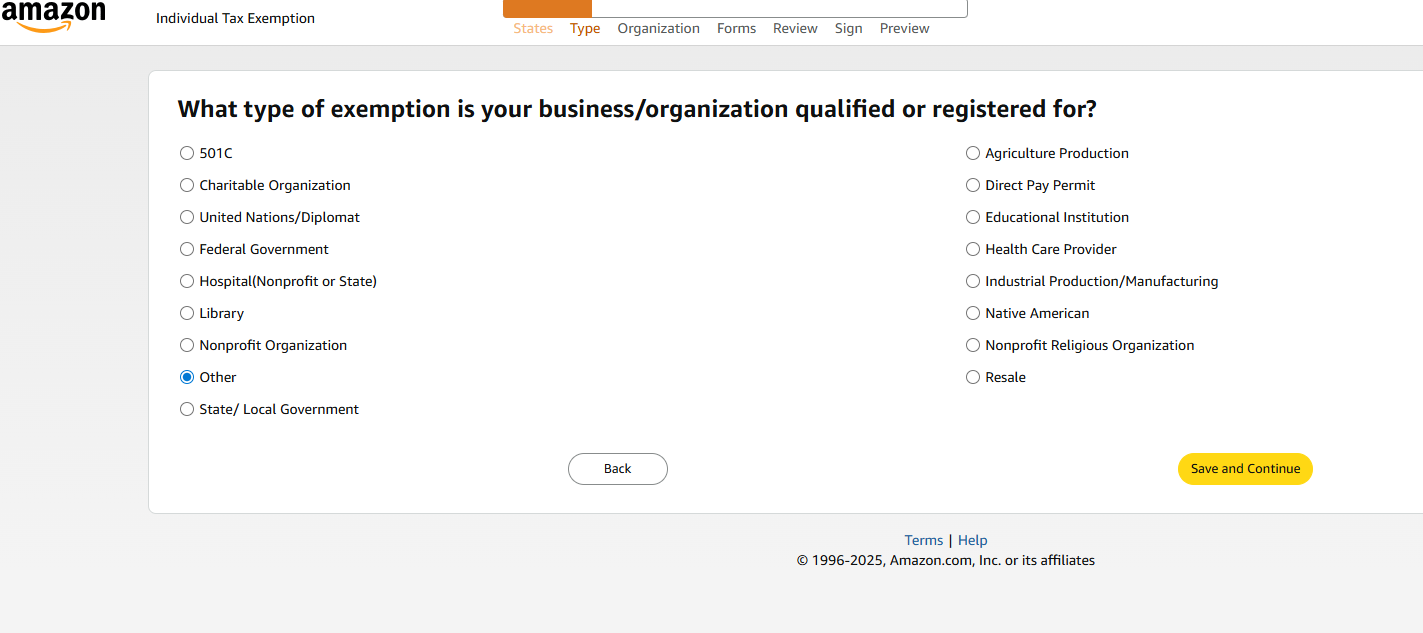
Select "OTHER" as the Tax Exemption Type
When asked what type of exemption you qualify for, select OTHER from the available options, then continue to the next step.
Choose "OTHER" as your exemption qualification type
Important: Please ensure you select OTHER in this section.
-
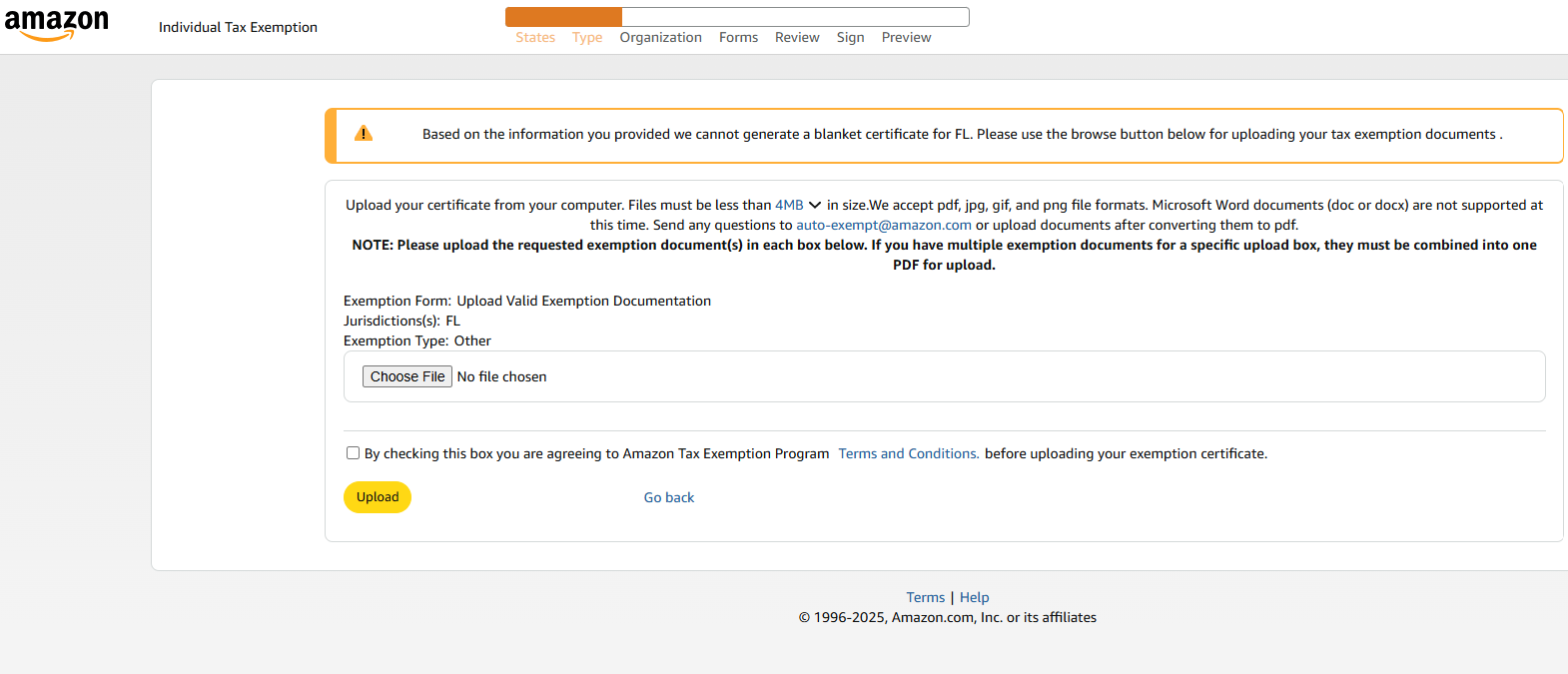
Upload the Tax Exemption Certificate
Click on Upload Certificate or Choose File and select the Global Edge 360 tax exemption certificate from your device. The certificate should be in PDF or image format (JPG/PNG).
Upload the Global Edge 360 tax exemption certificate from your device
Document to Upload: Global Edge 360 Tax Exemption Certificate (provided by Global Edge 360)
Accepted Formats: PDF, JPG, PNG
-
Accept Terms & Conditions and Submit
Review the information you've entered, accept Amazon's Terms & Conditions by checking the box, and click Upload or Submit to complete the process.
-
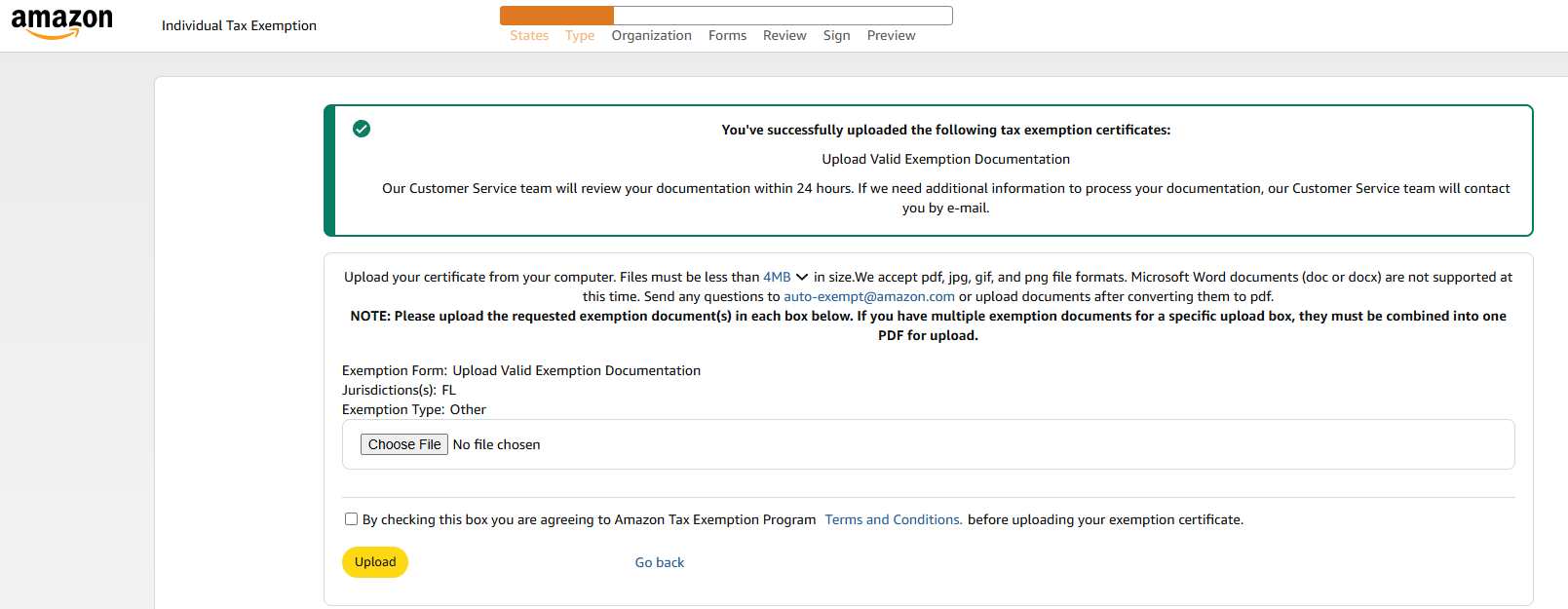
Wait for Confirmation Email
Amazon will review your tax exemption certificate. You will receive a confirmation email once your tax-exempt status is active. This typically takes 2-5 business days.
Amazon will send a confirmation email when your tax exemption is approved
📄 Need the Certificate?
Download the Global Edge 360 Tax Exemption Certificate to upload to Amazon:
Download Global Edge 360 Tax Exemption Certificate (PDF)Helpful Tips:
- Check exemption status: Return to the Tax Exemption Wizard anytime to view the status of your certificate (Pending, Approved, or Expired).
- Verify at checkout: Before completing your purchase, confirm that "Tax Exempt" appears in your order summary when shipping to your Global Edge 360 address.
- Mobile or Desktop: These instructions work on both the Amazon mobile app and desktop website.
- Certificate renewal: Tax exemption certificates expire. Check your certificate's expiration date and upload a renewed version before it expires to avoid service interruption.
✓ Success!
Your Amazon account is now set up for tax-free shopping with Global Edge 360. Once approved, all eligible orders shipped to your Global Edge 360 Florida address will be tax-exempt.
Need help? Contact Global Edge 360 support for assistance with obtaining or uploading your tax exemption certificate.